Bitget CFD User Guide: How to Trade Gold, Crude Oil, Forex, and More on Bitget
We're excited to announce the official launch of Bitget CFD. This product brings traditional financial assets—such as forex, gold, and stock CFDs—onto Bitget, allowing you to trade global traditional markets directly with a single account and USDT as margin. Whether you're looking to diversify beyond crypto or take leveraged positions in traditional markets, Bitget CFD offers a one-stop solution with advanced tools and ultra-low fees. This guide walks you through getting started, the assets available for trading, and how to place trades—all without needing any third-party applications.
What is Bitget CFD?
Bitget CFD is a leading cross-market trading platform that seamlessly integrates traditional financial assets (such as forex, gold, and stock CFDs) with cryptocurrency. With just one account and USDT as margin, you can trade directly in global traditional financial markets—no fiat deposits or withdrawals needed, no switching platforms, and no physical asset ownership required.
How Bitget CFD solves user pain points
You no longer need multiple trading apps. With just the Bitget app, you can access a full suite of global financial products. Bitget CFD makes it easy for crypto users to enter traditional markets while maintaining the same user-first philosophy behind our crypto products—bridging digital assets with real-world finance.
| Pain points |
Bitget CFD solutions |
| Complex cross-market operations (difficult fiat deposits or withdrawals) |
One-stop USDT trading; no fiat conversion needed |
| Low leverage and poor liquidity for traditional assets |
Up to 500x leverage + deep order books |
| Difficult for beginners to enter traditional markets |
Smart copy trading + demo trading |
| Cumbersome multi-account management |
Use a single account to manage all assets |
| Small or unknown traditional exchanges with rug-pull risk |
Bitget's strong global reputation and trustworthiness |
Key features and highlights of Bitget CFD
Bitget CFD is a powerful platform for one-stop trading across cryptocurrencies, forex, gold, crude oil, stocks. Using USDT as margin, you can seamlessly switch between asset classes without changing apps or accounts. Enjoy a fast and intuitive experience built for crypto-native users looking to explore traditional markets with institutional-grade tools and leverage.
| Features |
Notes |
| Multi-asset support |
Forex (EUR/USD, USD/JPY), gold (XAU/USD), crude oil (WTI), global stocks (S&P 500, NASDAQ 100), and more |
| Leverage |
Up to 500x (forex/gold) |
| CFD trading |
Trade without holding the underlying asset, lowering the entry barrier |
| Smart copy trading |
Replicate elite traders' strategies—ideal for beginners |
| MT5 auto trading |
Supports Expert Advisors (EAs) for automated/programmatic trading |
| Compliance and security |
FSC license + Bitget Protection Fund + segregated hot/cold wallets |
Bitget CFD usage guide
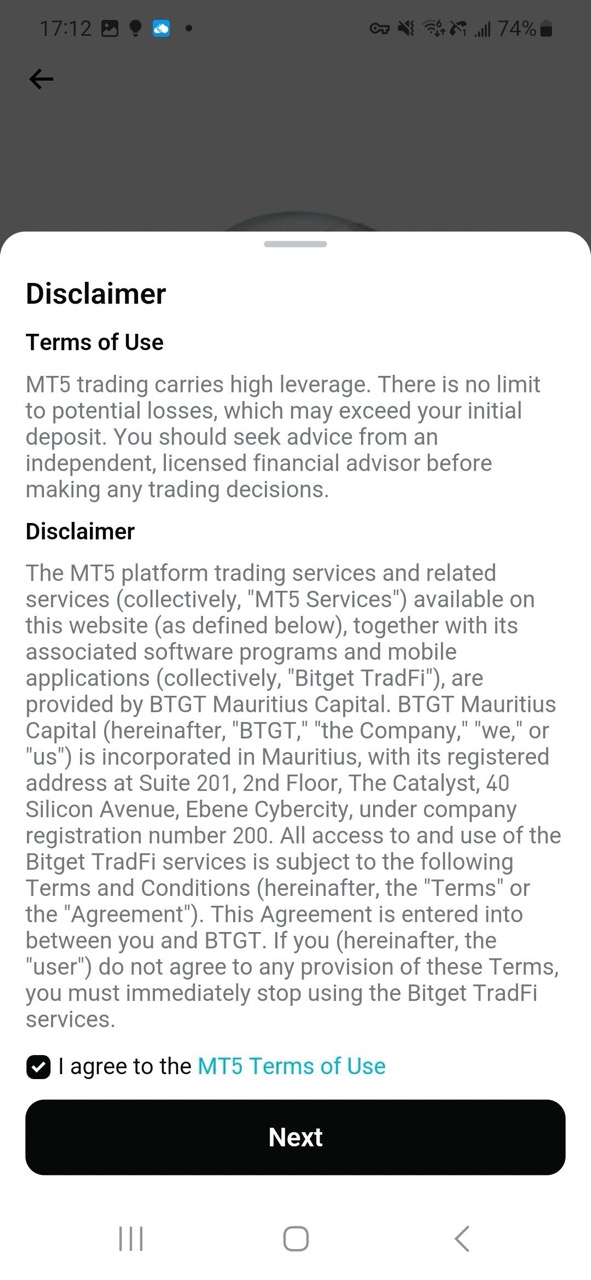
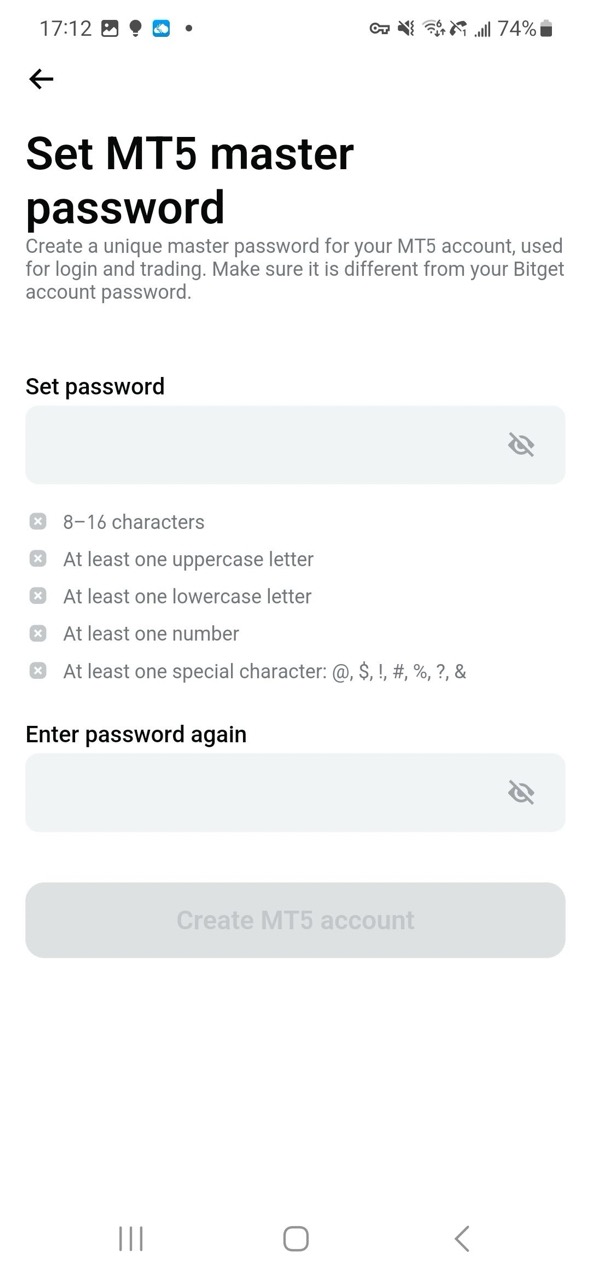
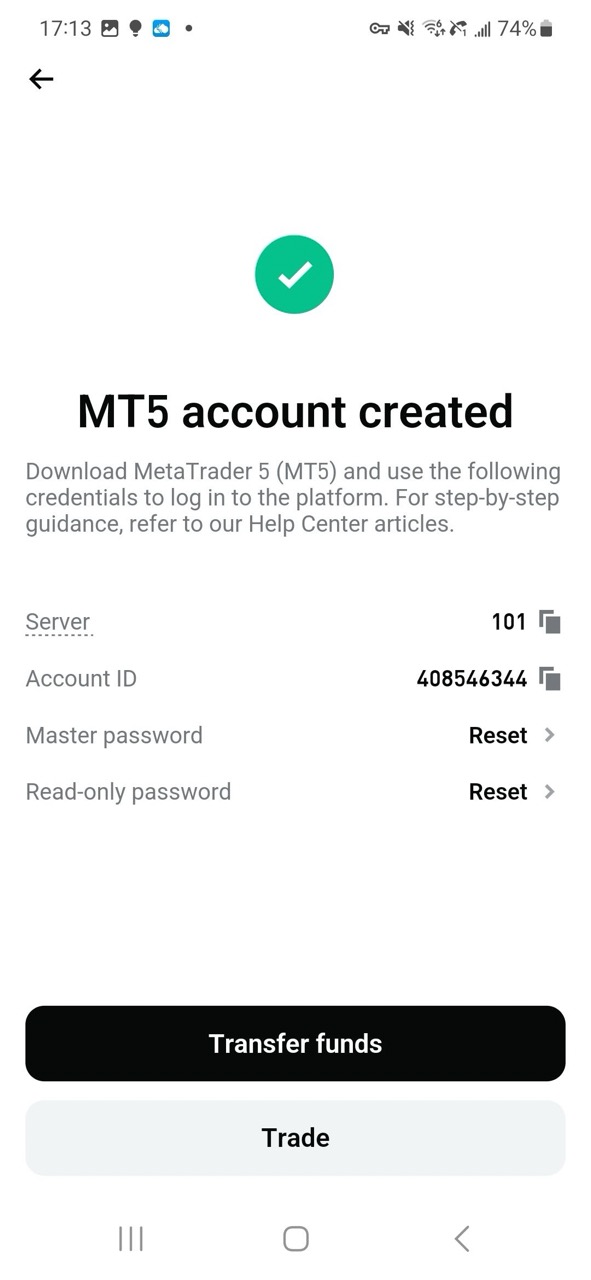
Step 1: Open your CFD Account
1. Log in to the Bitget website or Bitget app.
2. Go to Futures > CFD.
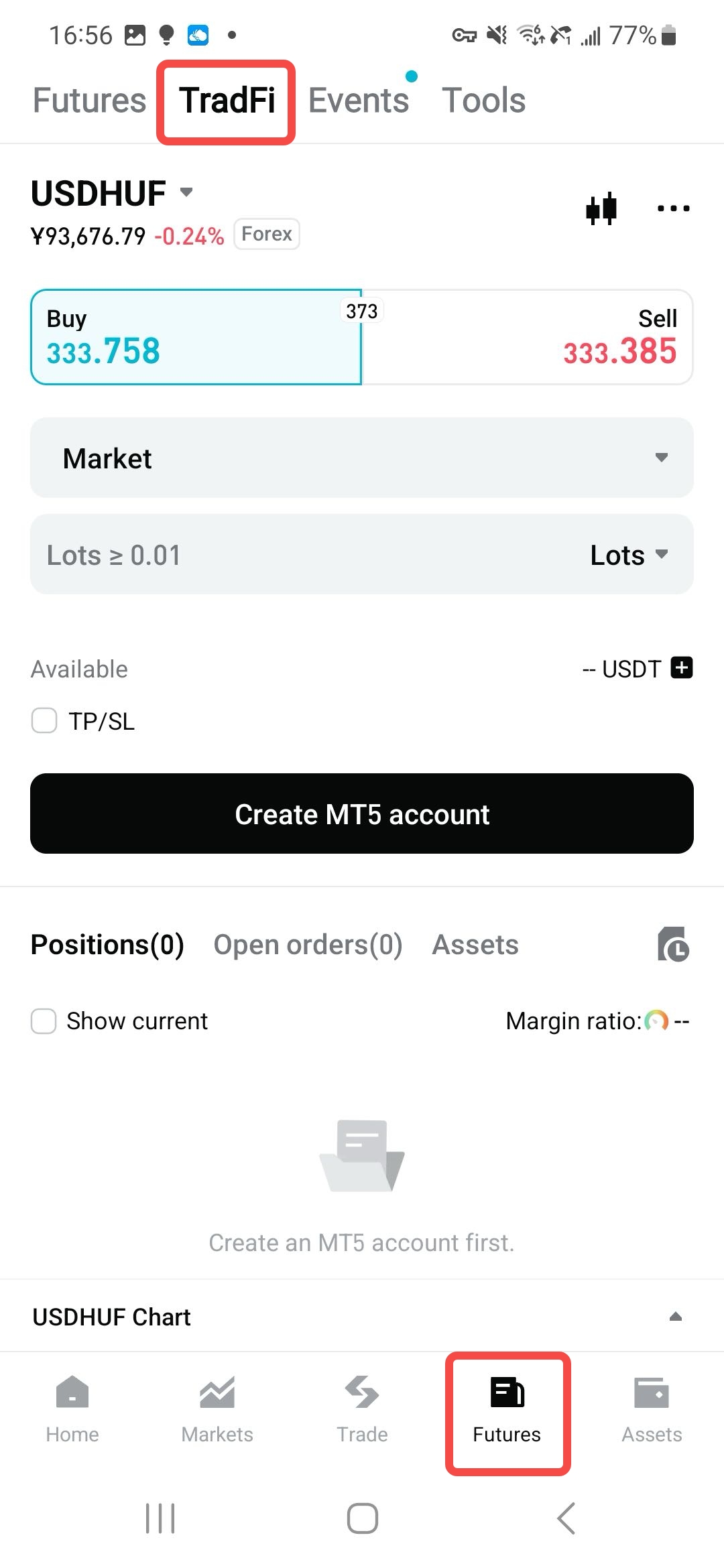
3. Select Create MT5 Account and follow the instructions to complete the setup.
 |
 |
 |
Note: Ensure your main Bitget account has completed identity verification.
Step 2: Transfer USDT to your CFD account
After creating your MT5 account, select Transfer Funds, or go to your profile > Assets > Transfer. Enter the amount of USDT you want to transfer and select Confirm Transfer. Transfers are instant.
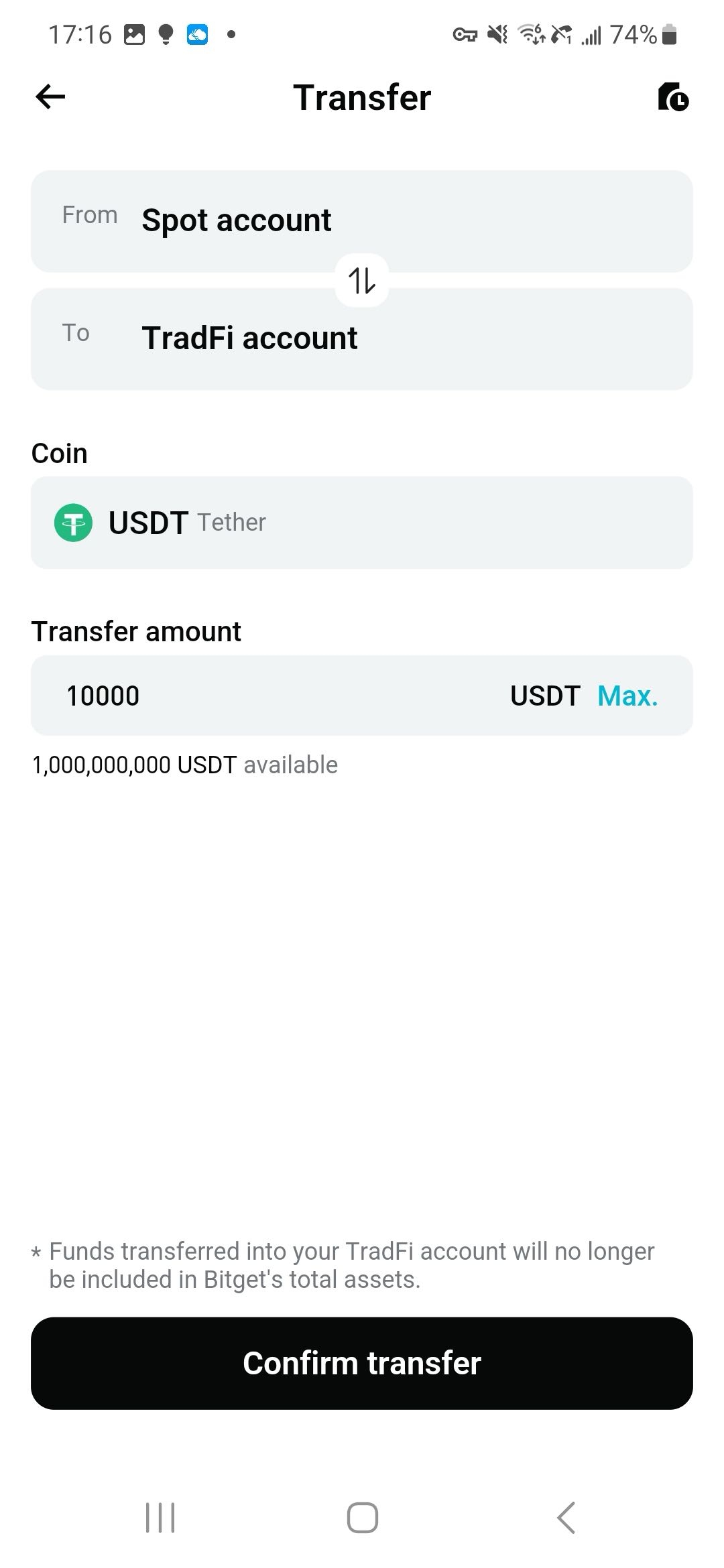
Important: Bitget CFD currently supports USDT only as margin. Other assets such as BTC and ETH are not supported.
Step 3: Start trading on CFD (using USD/HUF as an example)
1. After transferring funds, return to the CFD page and select a trading pair. We'll use USD/HUF as the example.
2. Select the USD/HUF pair to access the trading parameters. You can set the lot size (start small), leverage (set to maximum by default, but you can reduce it manually), and TP/SL (strongly recommended).
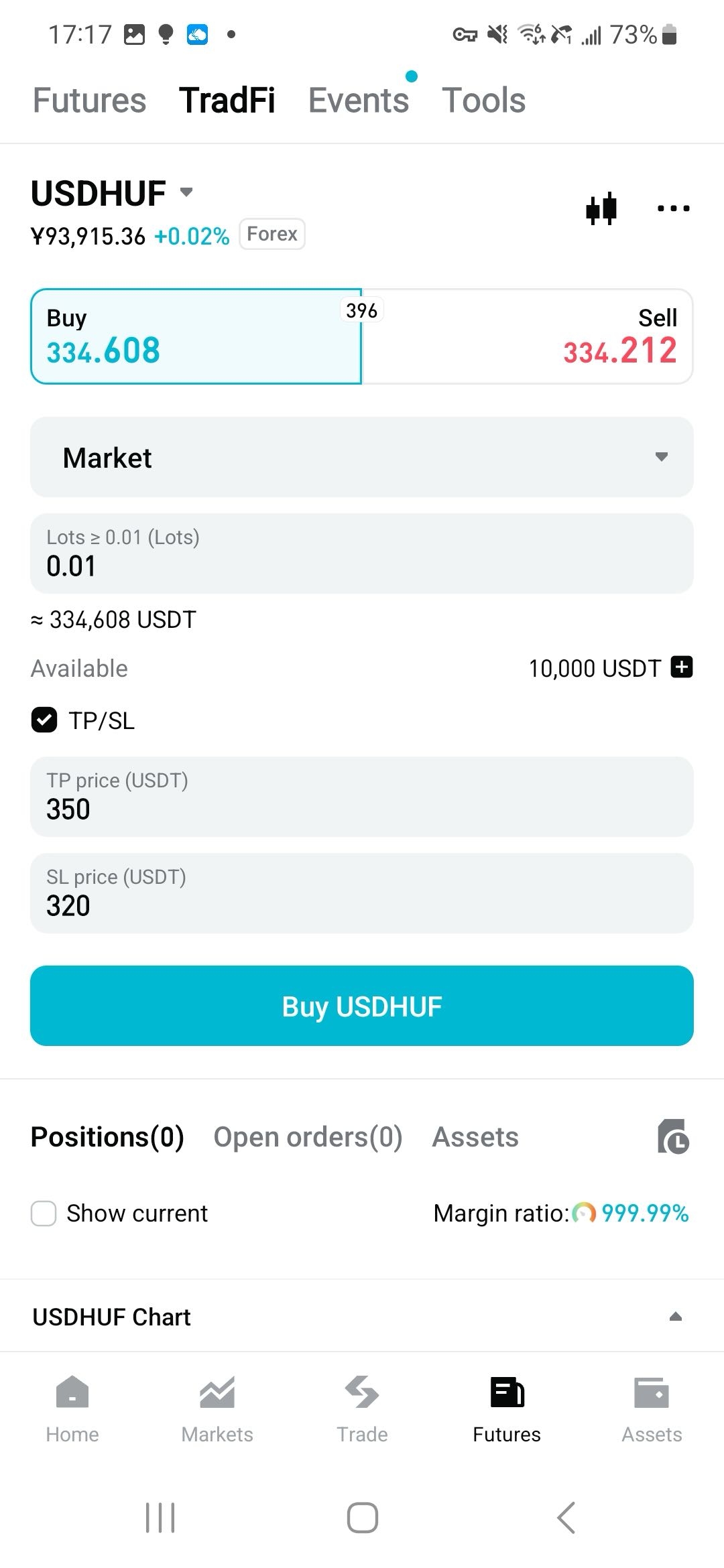
3. Tap Buy or Sell to place your order.
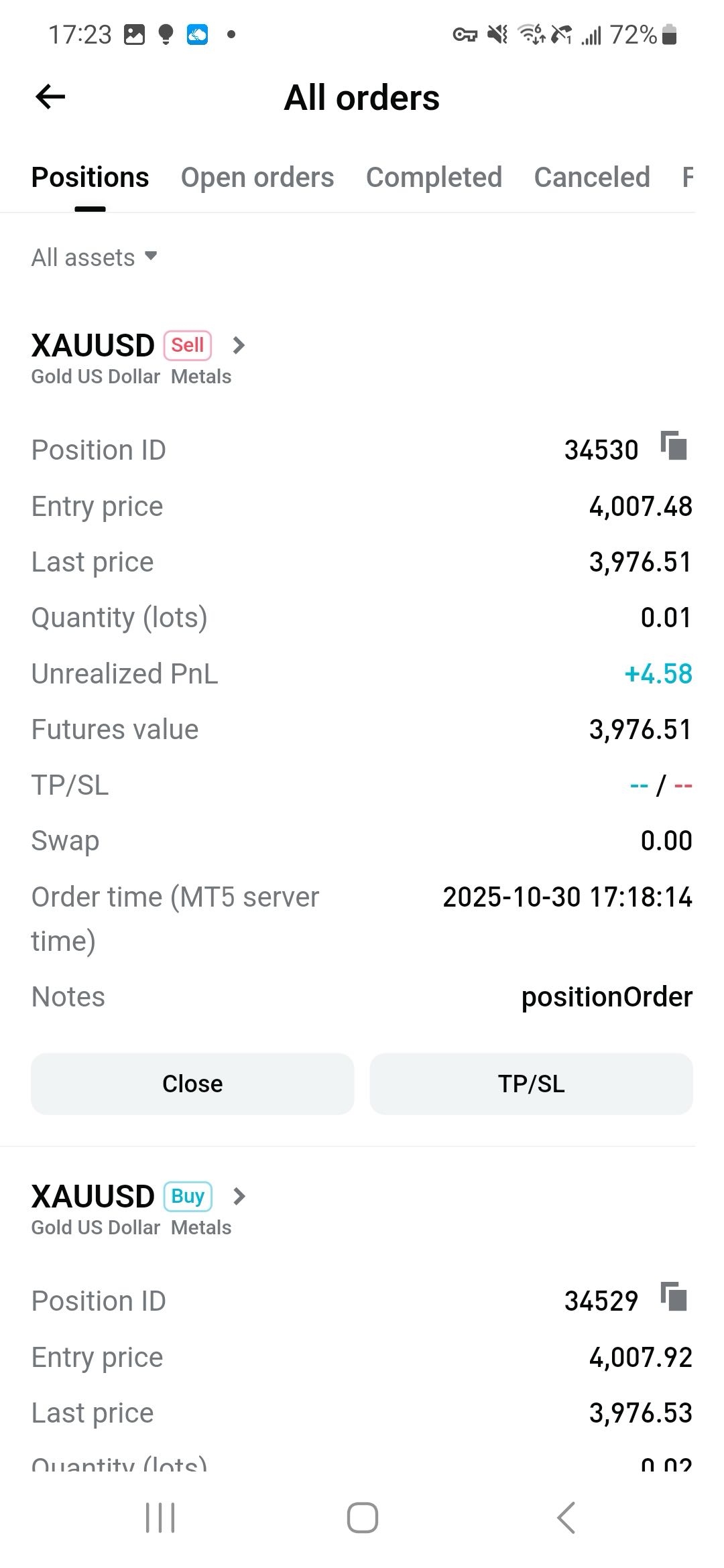
Step 4: Manage orders
You can view your orders from the Assets tab on the trading page, or return to the homepage, tap Assets at the bottom-right of the navigation bar, and locate the CFD section.
FAQ
1. Is identity verification required for Bitget CFD trading?
Yes. Users must complete identity verification to trade, including submitting a valid proof of address. After activating your CFD account, you will have a 30-day grace period. If proof of address is not submitted within this period, opening new positions will be restricted in accordance with compliance requirements.
2. Does CFD support sub-accounts?
No, Bitget CFD does not support sub-accounts. Only your main Bitget account can activate a CFD (MT5) account.
3. How can I find my CFD login ID?
Your CFD login username and password are different from your Bitget account credentials. After successfully activating your CFD account, a pop-up window will display your login details.
If you forget your CFD account ID, go to the CFD assets page, where your login ID is displayed at the top.
4. What time zone does Bitget CFD use, and how can I change it?
By default, Bitget CFD displays all times in UTC+2. This setting cannot be changed. During daylight saving time, the system automatically shifts to UTC+3.
5. Are there any margin requirements for trading on Bitget CFD?
Each Bitget CFD futures has leverage and margin ratios set by Bitget, with a maximum of 500x.
6. How are CFDs (Contracts for Difference) settled on CFD?
All CFD products are settled in USD, while deposits are made in USDT. During CFD trading, the system automatically exchanges between USDT and USD.
7. What leverages are available on Bitget CFD? Can I change the leverage?
Each futures on Bitget CFD has its own default leverage setting. Forex, precious metals, oil, and stocks support up to 500x. Leverage settings are fixed and cannot be changed manually.
8. Can I trade in hedging mode?
Yes. Bitget CFD allows trading in hedging mode. With this feature, you can open multiple independent positions on the same instrument, both long (buy) and short (sell). Each position is displayed as a separate line in the Positions tab, giving you flexibility to build more complex strategies. For example, you could open a long position to profit from rising prices while also holding a short position to hedge against potential downside risk.
9. Can I adjust the negative balance of my Bitget CFD account?
No. Negative balances are automatically reset to zero. Users cannot make manual adjustments.
Get started with Bitget CFD
Ready to trade forex, gold, and stock CFDs? Bitget CFD brings traditional markets to your fingertips with seamless USDT trading—bridging crypto and TradFi in one powerful platform. Getting started is simple: create your Bitget account, complete identity verification, then activate your CFD account, you're just minutes away from trading global markets!


- What is Bitget CFD?
- How Bitget CFD solves user pain points
- Key features and highlights of Bitget CFD
- Bitget CFD usage guide
- FAQ
- Get started with Bitget CFD