Getting Started with Bitget CFD (Website Tutorial)
Launched in December 2025, Bitget CFD utilizes the industry-standard MetaTrader 5 (MT5) trading terminal to deliver professional charts, indicators, and automated trading powered by Expert Advisor (EA), giving users access to traditional assets such as forex (FX), precious metals (gold/silver), crude oil, indices, and contracts for differences (CFDs) of select stock indices.
Bitget CFD is now available on our website, with access to account management, fund transfers, basic market data, and some order-placing features. Here's a complete user guide for the Bitget CFD webpage.
Create a Bitget account
Visit the official Bitget website, log in to your account or sign up, and complete advanced identity verification (identity document + proof of address + facial recognition). As CFD is a regulated financial product, users are required to complete advanced identity verification to access it. Then, ensure you have sufficient USDT in your account to start trading. We recommend that you try out the experience with 100–500 USDT.
Open your CFD / MT5 account
Path 1: Direct access
1.1. After logging in, locate Futures in the top navigation bar and select CFD Trading to open the Bitget CFD page.
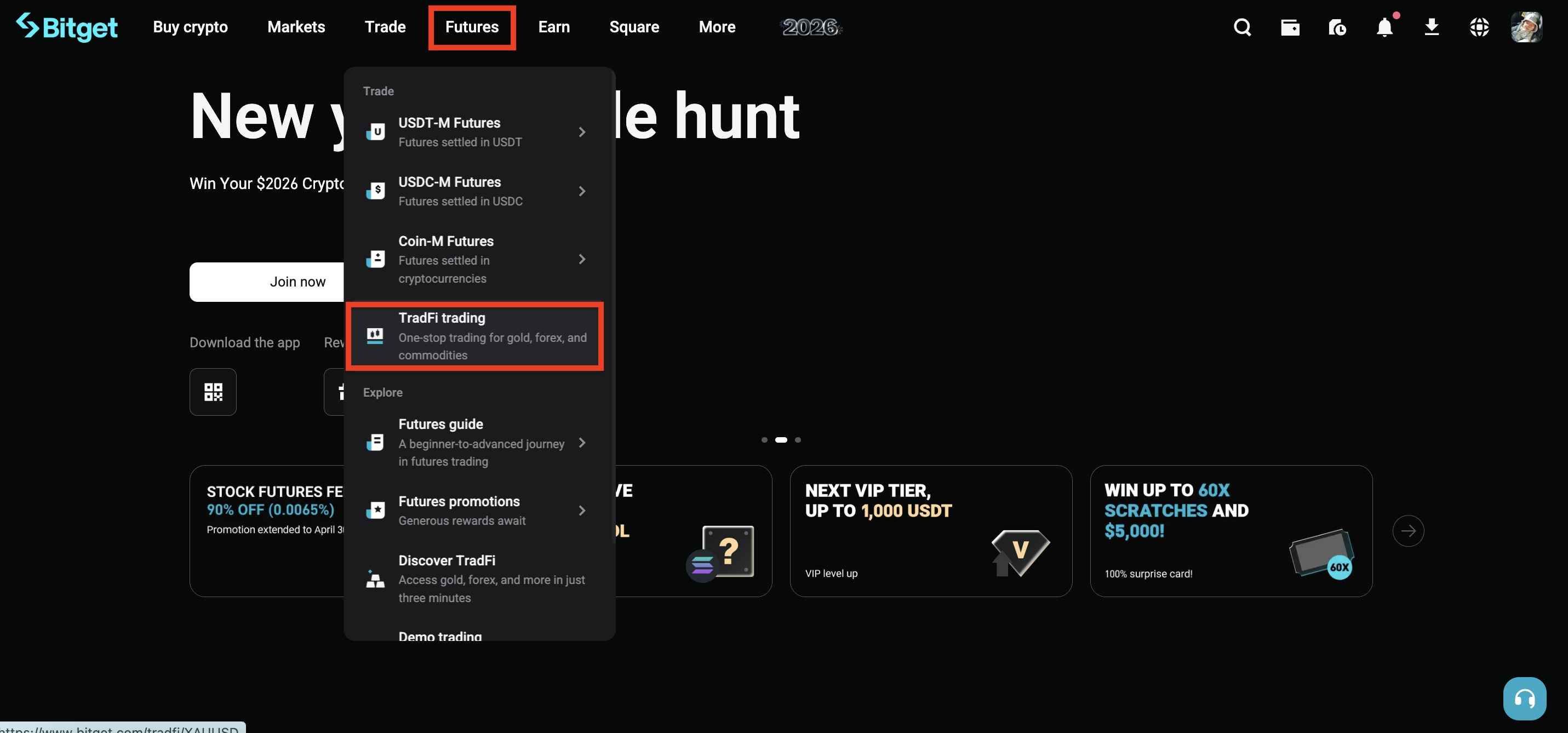
1.2. Select Create Account, and read and agree to the MT5 Terms of Use.
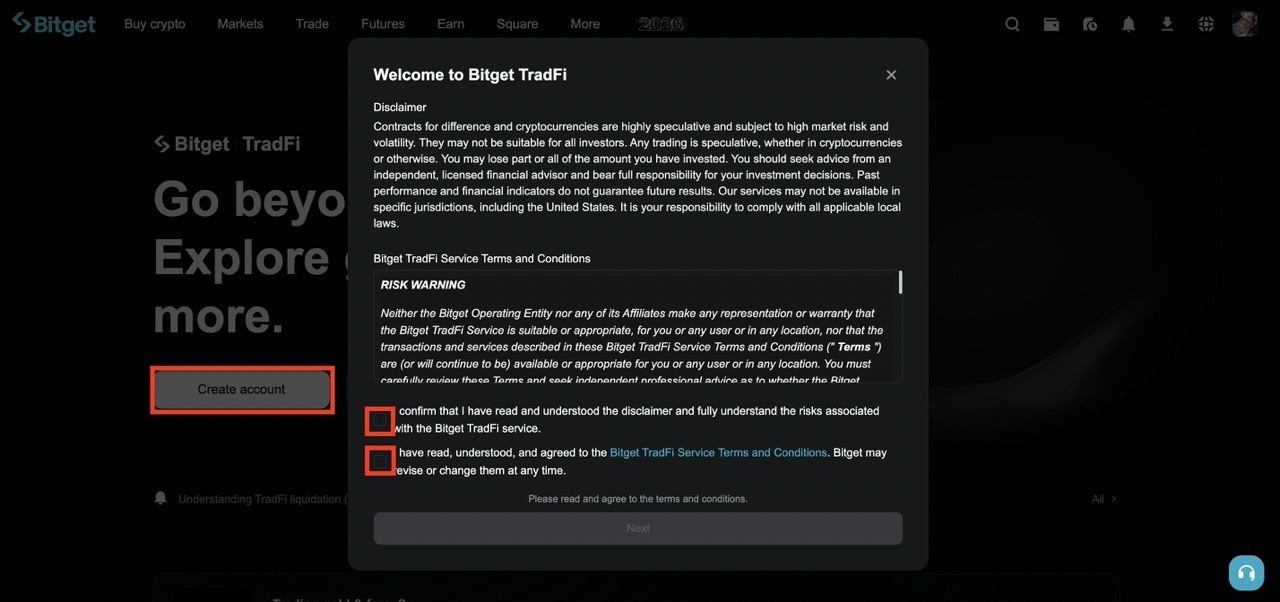
1.3. Set an MT5 master password (important! ) which must have:
● 8 to 16 characters
● At least one uppercase letter
● At least one lowercase letter
● At least one number
● At least one special character (e.g., @ # $)
1.4. Enter the master password again for confirmation → click Create
Path 2: Access from the assets page
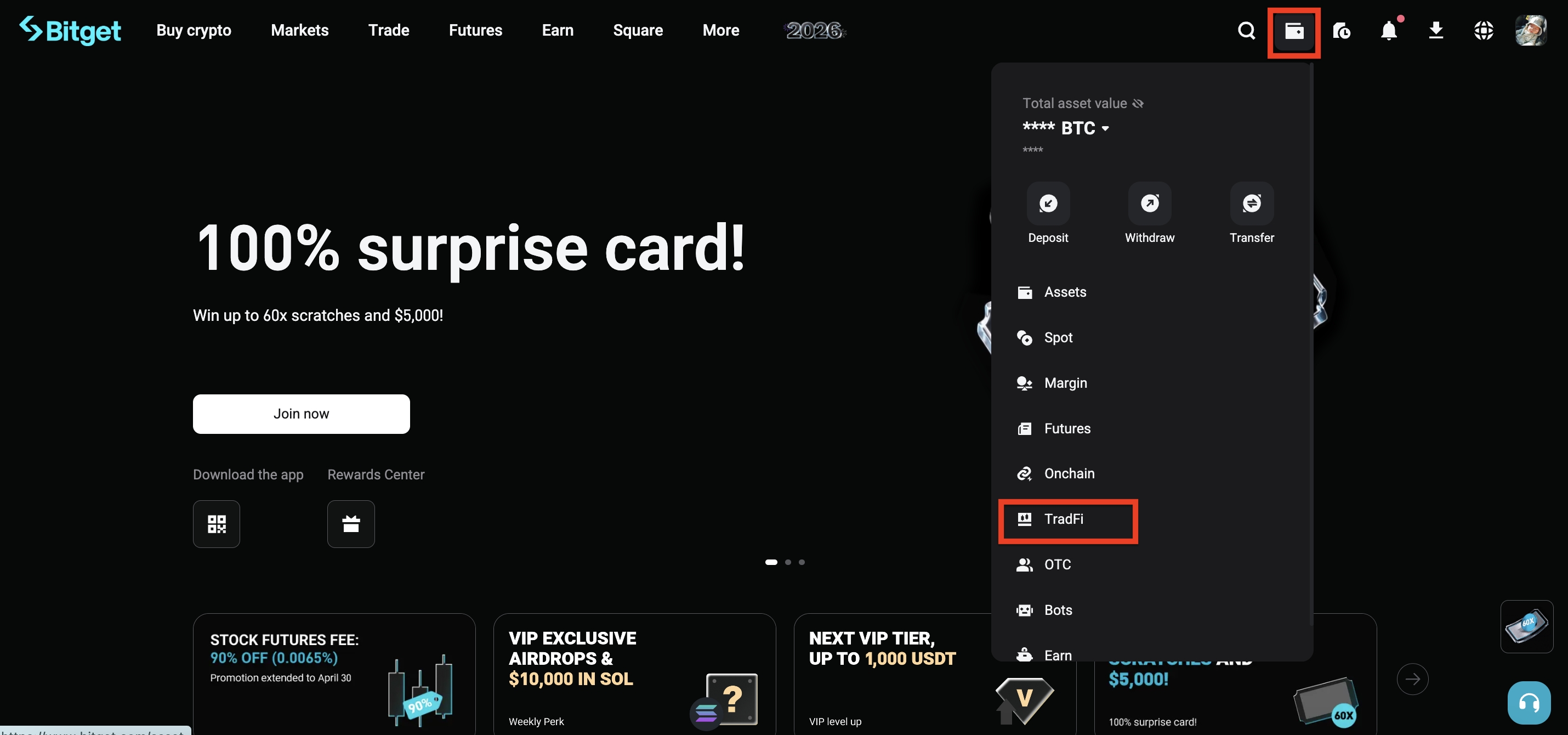
Select CFD from the dropdown menu of the wallet icon in the top-right corner to enter the asset page and open your Bitget CFD / MT5 account.
Transfer funds
1. On the Dashboard, find the Transfer button to enter the transfer page.
2. Transfer from your spot account to your CFD account.
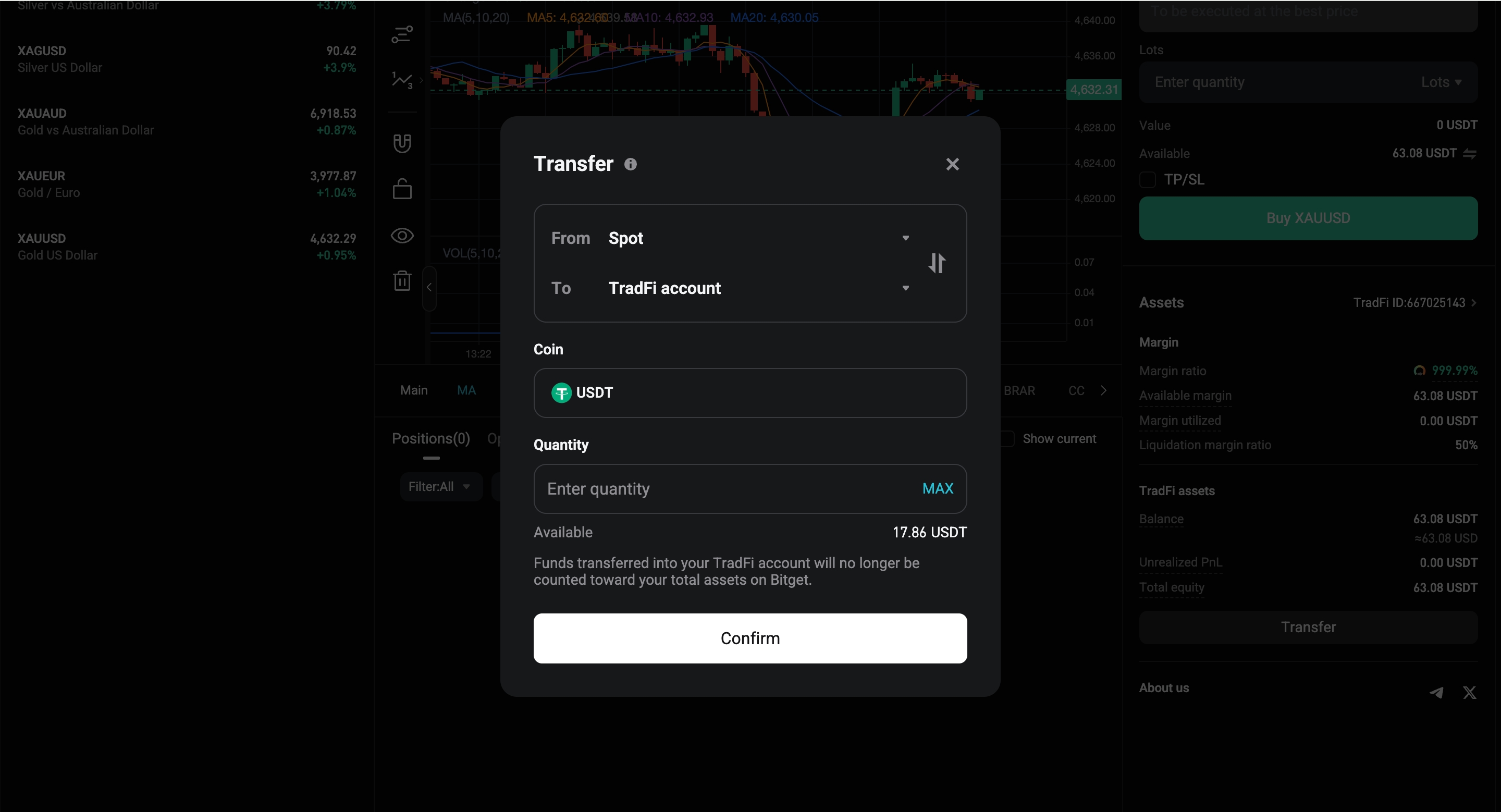
3. You can only select to transfer USDT (the only coin supported as margin for now). Enter the transfer amount, and select Confirm. The funds will be credited instantly with zero fees.
Trade on the Bitget CFD webpage
At the moment, we are still improving and iterating on trading features of the Bitget CFD webpage. Selected users have access to the MT5 trading web terminal.
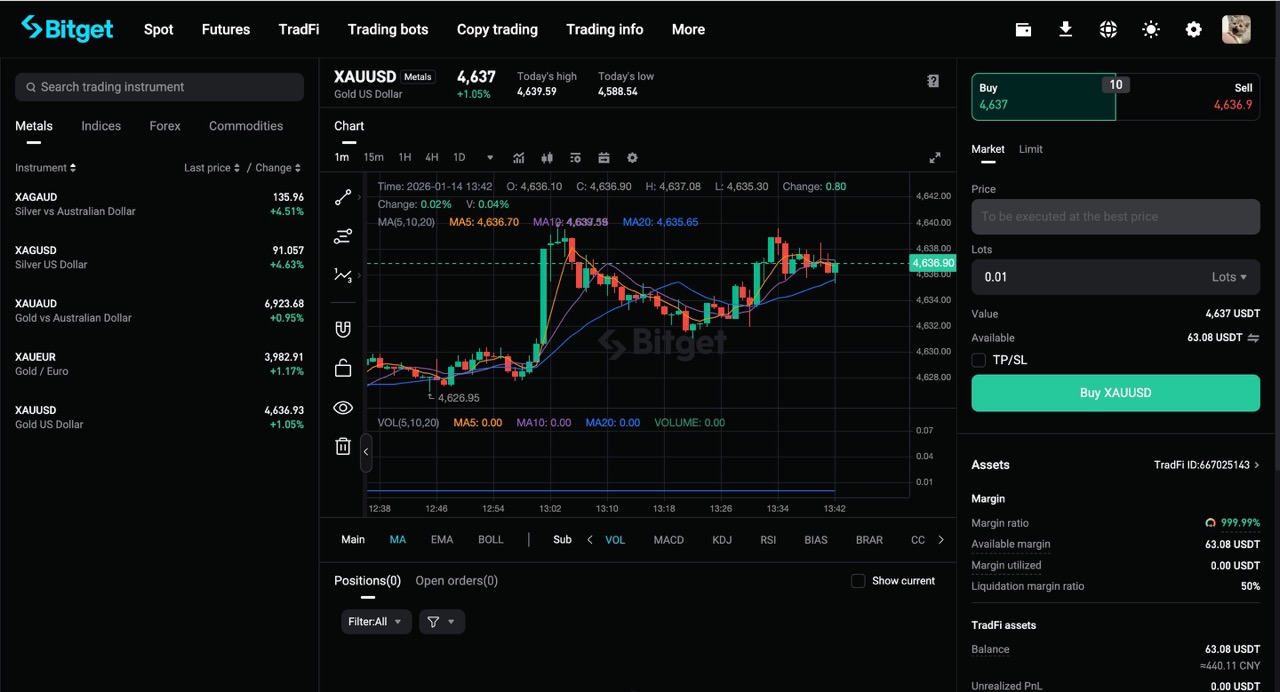
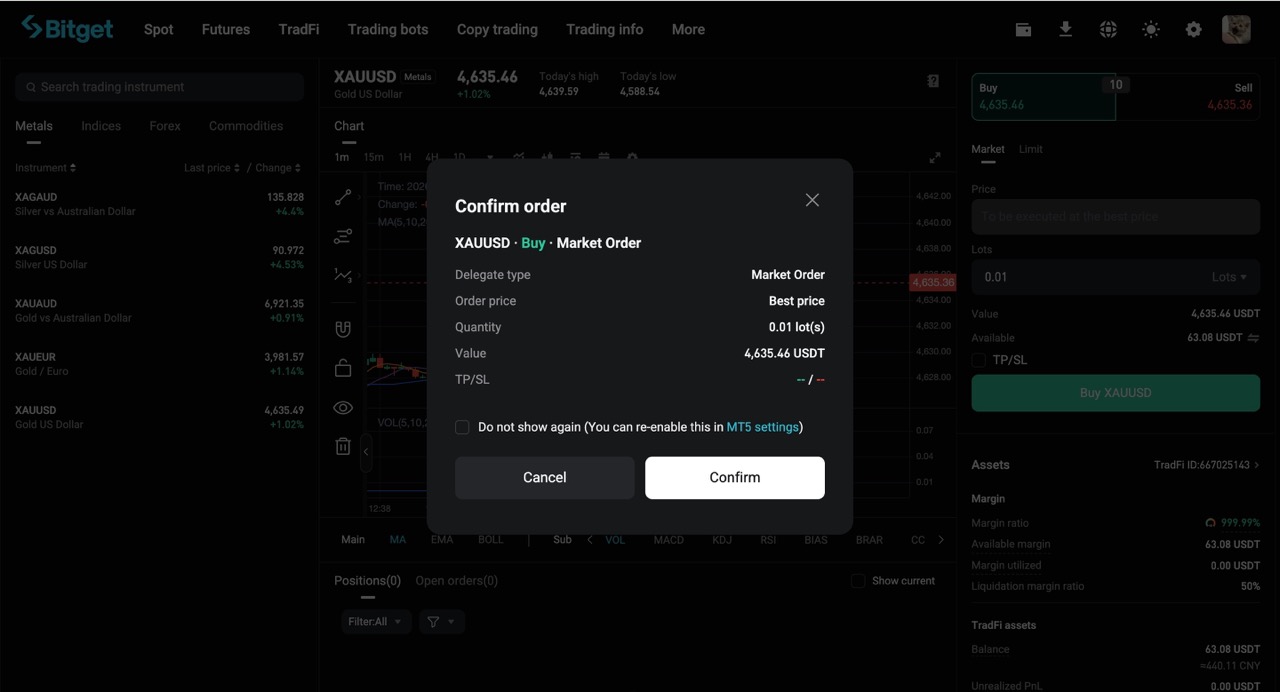
1. You will see the web terminal on the CFD page, where you can log in with the newly created MT5 account ID and password and connect to a server (usually the system selects one for you, or one typically named "Bitget-CFD-Live").
2. After logging in, the interface should look the same as the standard MT5 web version. Now you can select the instrument you wish to trade, choose to buy or sell, enter the lot size, and confirm to place the order.
For Bitget APP
|
|
|
|
|
|
|
|
Common instruments
| Asset type | Representatives | Maximum leverage | Notes |
| Forex | EUR/USD, GBP/USD, USD/JPY | Up to 500x | Most active, with extremely low spreads |
| Precious metal | XAU/USD (Gold), XAG/USD | Up to 500x | The favorite of crypto users |
| Energy | USOIL (WTI crude oil), UKOIL | Up to 200x | Sensitive to geopolitical factors |
| Stock index | US30, NAS100, GER40 | Up to 100–200x | U.S. stocks can be highly volatile |
Key risks and precautions
● Extremely high leverage, especially at 500x—be sure to set stop-loss targets.
● Stringent liquidation mechanism—it is recommended to maintain a margin ratio above 150% for safety.
● Compared to the Bitget app, the web version still lacks some features. We recommend using the app as your primary trading tool.
● All profits and losses are settled in real time using USDT, and the funds can be transferred back to your spot account at any time.


- Create a Bitget account
- Open your CFD / MT5 account
-
- Transfer funds
- Trade on the Bitget CFD webpage
- Key risks and precautions