How to Perform Bank Deposit (EUR) on Bitget? - Website Guide
[Estimated Reading Time: 4 minutes]
This article provides a detailed guide for performing EUR (Euro) deposits via SEPA bank transfer on Bitget’s website. Follow this guide to complete your deposit seamlessly, troubleshoot common issues, and verify your deposit status.
Requirements for EUR Deposits
Before you begin, ensure that all of the following requirements are met:
-
Identity Verification for Activating Bank Deposit Service: Complete the required identity verification to activate the bank deposit service. This includes uploading valid identification documents such as a passport, national ID card, or driver's license. (For users in Germany, accepted documents include a national ID card, passport, or residence permit.)
-
Matching Bank Account Details: Your SEPA bank account must be added and verified, and the account holder's name must match the name on your verified Bitget account.
-
Supported Method: EUR deposits are supported only via SEPA bank transfer.
-
Region Restriction: SEPA deposits are available only to users who have completed identity verification in the European Economic Area (EEA), the United Kingdom, or Switzerland.
Important Notes:
-
Third-party payments are not supported.
-
Failed deposits are refunded within 2 business days (weekends and public holidays excluded), depending on the situation.
How to Deposit EUR (Euro) via SEPA Bank Transfer on Bitget Website?
Step 1: Navigate to the Fiat Deposit Page
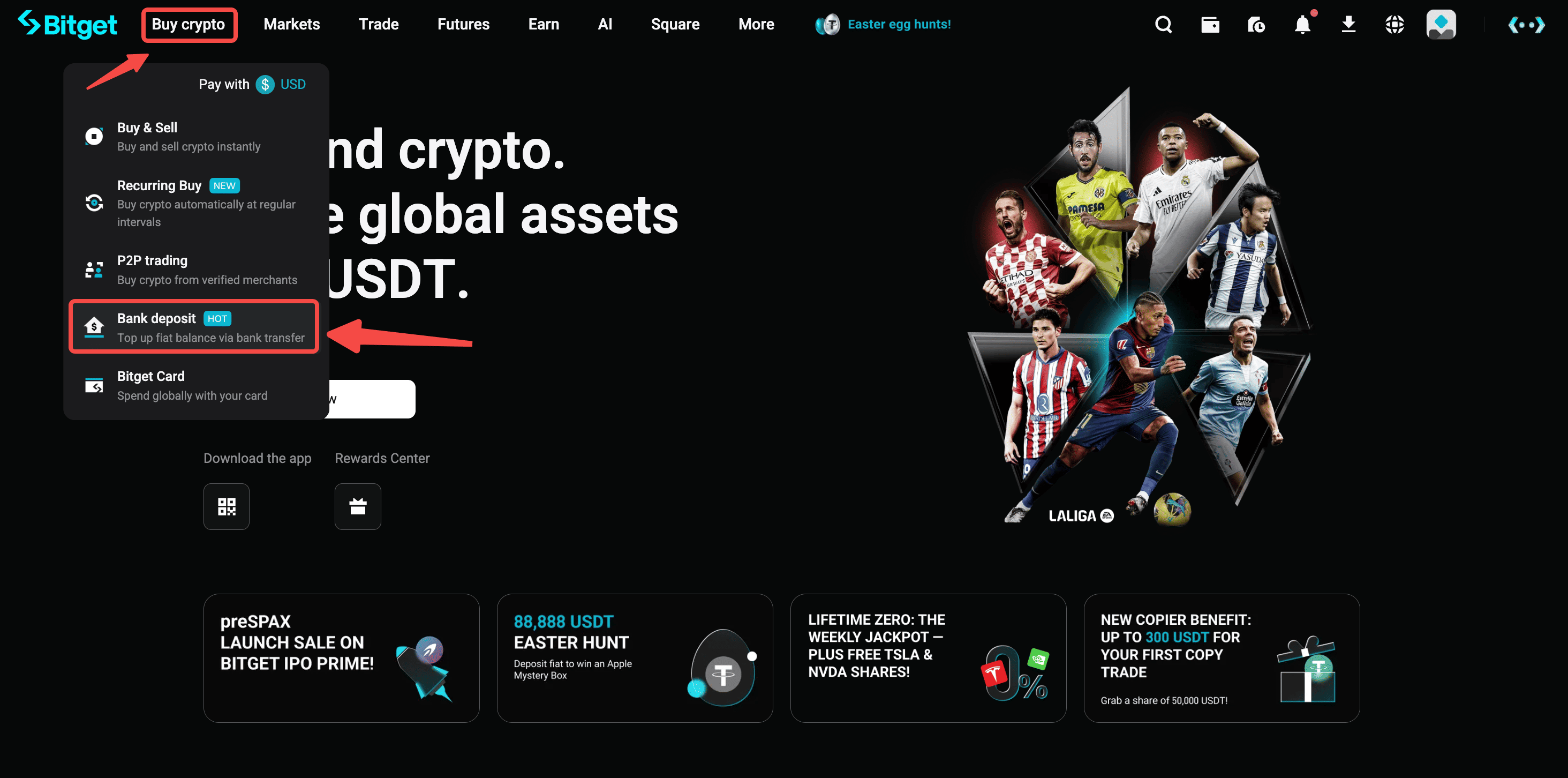
Step 2: Select Currency and Payment Method
-
Choose EUR as your currency.
-
Select SEPA Bank Transfer as the payment method.
-
Click Next to proceed.

Step 3: Enter Deposit Amount
Input the amount you want to deposit and click Next.

Step 4: Review Deposit Details
-
Payee details, including IBAN and SWIFT/BIC, will be displayed.
-
Important: When making the transfer, do include a reference in the transaction to ensure smoothness.
-
Complete the transfer via your bank app or online banking.

Step 5: Verify Deposit Status
-
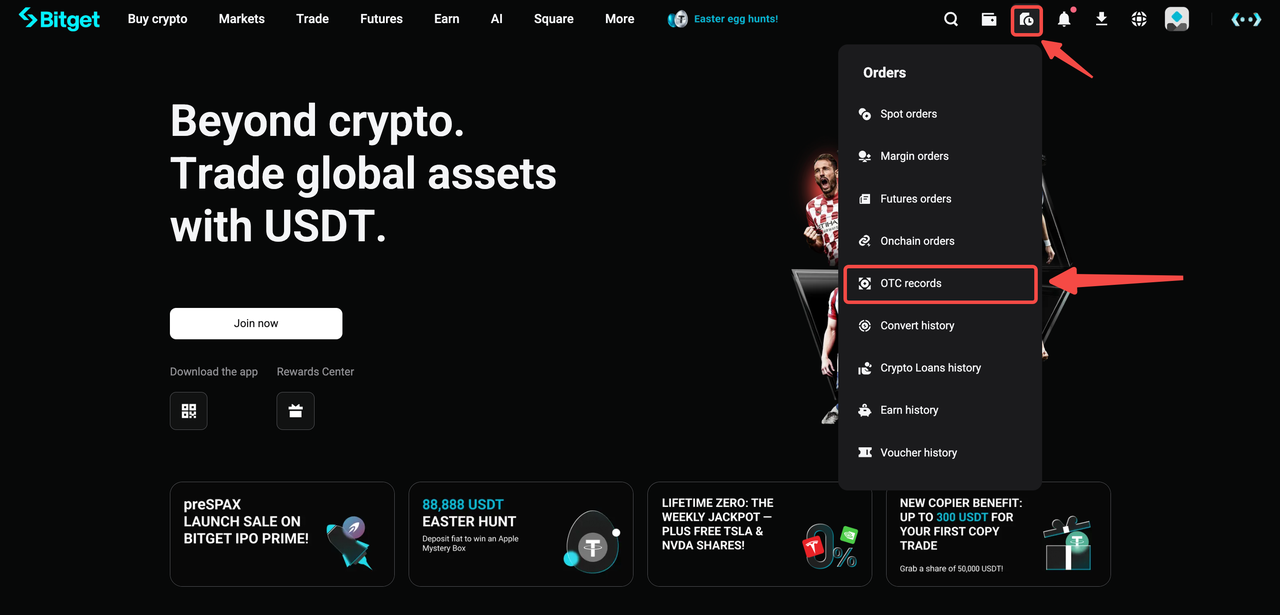
After completing the transfer, track your deposit status under Order History (indicated by clock/document icon) > OTC Orders.
-
SEPA deposits typically take 1–2 business days, though SEPA Instant may process immediately.
FAQs
1. How long does it take for my deposit to be credited?
-
Standard SEPA transfers: Within 2 business days.
-
Instant SEPA transfers: Credited almost immediately, depending on your bank.
2. Are there any fees for EUR deposits?
Fee: 0 EUR for SEPA deposits.
3. What are the transaction limits for EUR deposits?
-
Per Transaction Minimum: €10.
4. Can I use any SEPA-supported bank account?
Yes, any SEPA-supported bank account from the European Economic Area (EAA), United Kingdom and Switzerland.
5. What should I do if my deposit isn’t credited?
Ensure you followed the SEPA transfer instructions accurately. If the deposit isn’t credited within the expected timeframe, submit a ticket with your transaction details.
Join Bitget, the World's Leading Crypto Exchange and Web3 Company
Share