Product updates
Bitget futures copy/elite trading gets a major upgrade
2026-01-26 16:58156545
As part of our continuous effort to improve the futures elite trading and copy trading experience, an upgraded futures copy/elite trading system is going live. The upgrade features elite portfolio improvements, unified trading account compatibility, a position-based copy model, a high-water-mark profit share mechanism, and enhanced risk controls, aimed at delivering a more efficient and secure trading experience to users.
You can refer to our Help Center for more announcements.
1. Upgrade highlights
1.1 Elite portfolio upgrade: Close and create portfolios anytime
In the new system, elite traders can close and create a new portfolio at any time, with no need to withdraw their status or wait through a seven-day cooling-off period. Each elite portfolio will be assigned an independent trading sub-account. Once a portfolio is closed, the elite trader's performance statistics are reset, allowing them to optimize strategies at a lower cost and rebuild their track record when performance has not been ideal.
1.2 Roles are no longer mutually exclusive: Elite traders can also be copiers
The roles of elite trader and copier are not mutually exclusive. Users can create elite portfolios while also participating as copiers. As elite trading and copy trading use independent trading sub-accounts that are fully isolated, it is not possible to copy another trader's strategy and reuse it for elite trading. This design allows elite traders to more conveniently follow other high-quality elite traders, observe their strategies, and improve overall trading efficiency and experience.
1.3 A new position-based copy model: Improved stability and performance
The new system adopts a brand-new position-based copy trading model, eliminating the maximum elite/copy trade limits in the legacy order-based model, and significantly reducing system latency and improving overall performance.
1.4 More flexible copy trading modes: Fixed ratio/fixed margin & risk-control settings
-
The independent copy trading sub-account offers two options to copy positions:
-
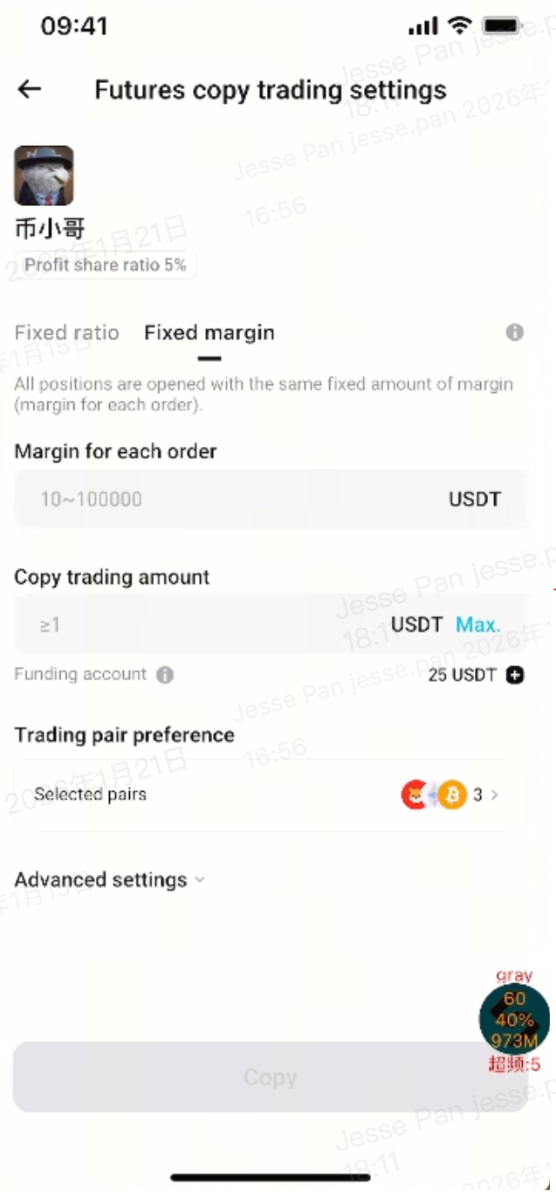
Fixed ratio: Each position size is determined by applying the ratio of the elite trader's opening margin to their account equity prior to opening to the copier's equity.
-
Fixed margin: All positions are opened using a fixed margin amount per order.
-
Proportional closing: Regardless of the copy trading mode, positions are closed proportionally based on the ratio of the elite trader's closed position size to their total position size prior to closing.
-
-
Two major position risk control methods are added:
-
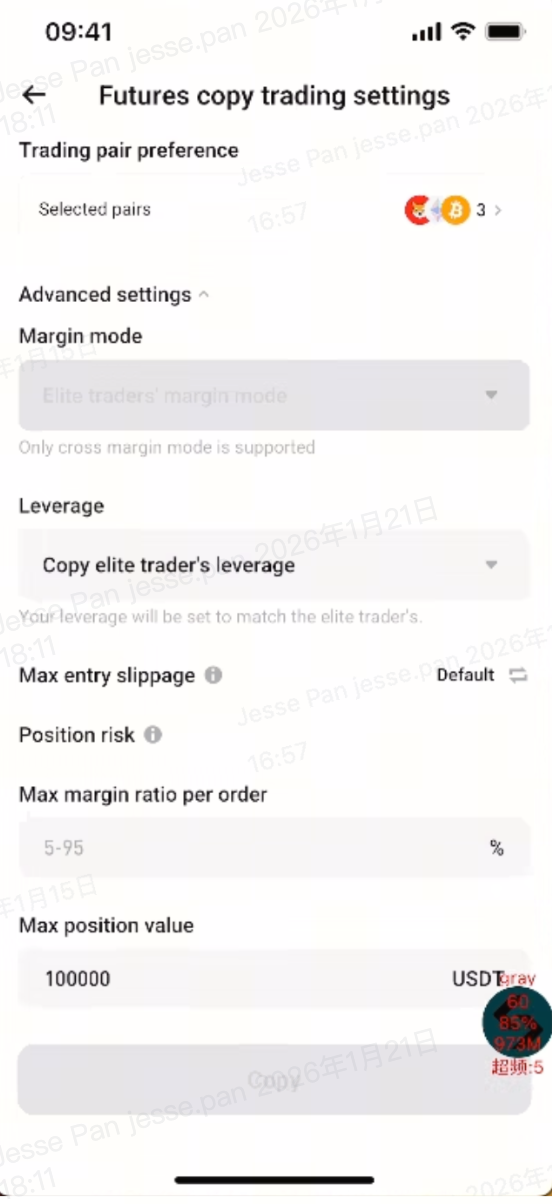
Max margin ratio per order: Ranges from 5%–95%, preventing excessive position value for a single order in the copy trading sub-account.
-
Max holding value: Ranges from 0–1,000,000 USDT, controlling overall position risk in the copy trading sub-account.
-
1.5 New high-water-mark profit share: Fairer and more transparent
-
High-water-mark profit share mechanism: Profit share settlement only happens when the copier's overall PnL is positive throughout the operation of the elite portfolio. Amounts already settled will not be included in subsequent settlements, and profitable trades in a losing position will not trigger profit share settlement. The new profit share rules align better with the pursuit of long-term returns.
-
To protect elite traders' profit shares earned, when there are pending profit shares, and the copier withdraws funds beyond a certain threshold, the system will impose a profit share freeze. The frozen amount will be automatically released during the daily settlement window starting from 12:00 AM (UTC+8), provided the copier has no open positions at that time.
1.6 Unified hub of the elite trading zone and elite trader center: Streamlined operations and simplified process
After an elite trader creates an elite portfolio, a futures elite trading zone and an elite trader center will be created in the copy trading hub. You will see an elite trading portal on the trading interface, which enables smooth switching and seamless operations between your main account and elite trading sub-account. If you have multiple roles for different products (such as spot elite trader and CFD elite trader), you can trade and view data on the same interface for integrated management and greater convenience.
2. Core features interface
2.1 New elite trader center and elite trading zone
-
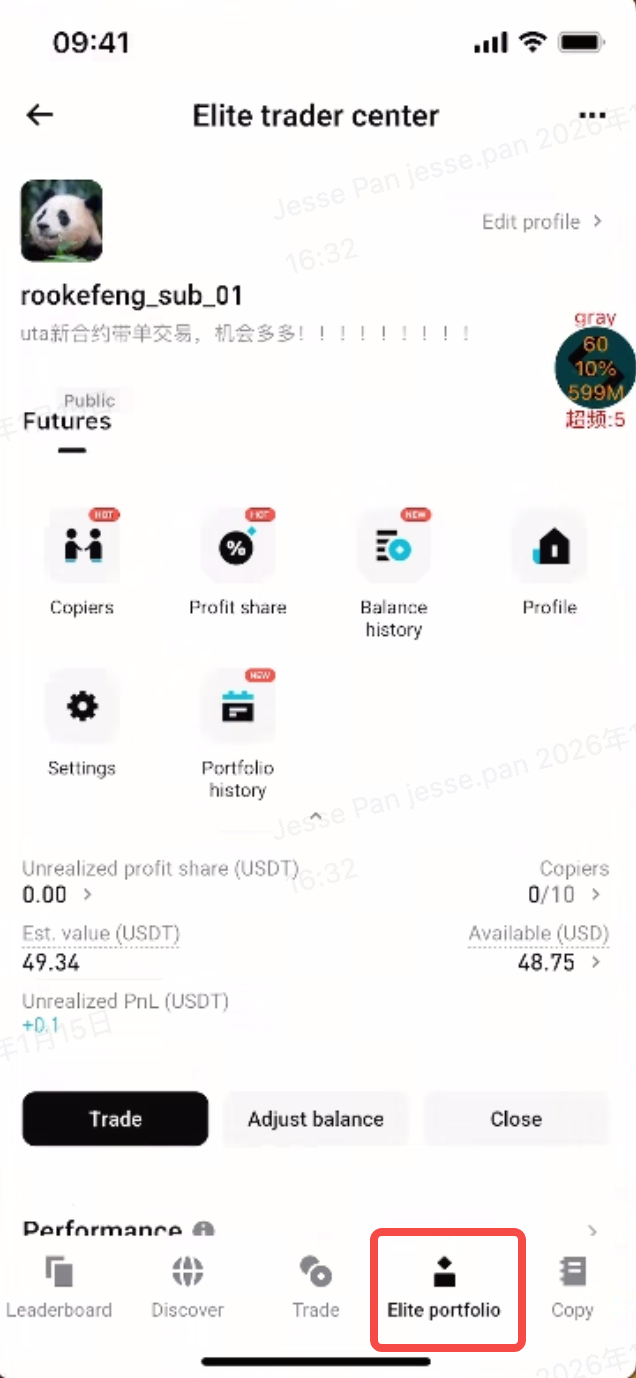
Now you can access all elite trading features for different products and view the core data of spot, futures, and CFD elite portfolios in one place for higher management efficiency, including shortcuts to Copiers, Profit Share, Balance History, Profile, Settings, and Portfolio History.
-
Closing a portfolio: Once all assets are sold and all open orders are canceled, you can close your elite portfolio. After closing a portfolio, you can immediately create a new one—no seven-day cooling-off period or the need to withdraw and reapply for the elite trade status.
-
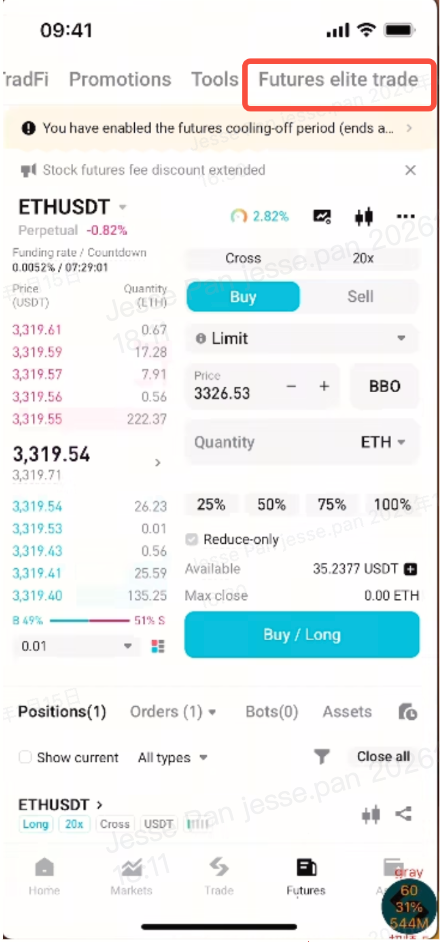
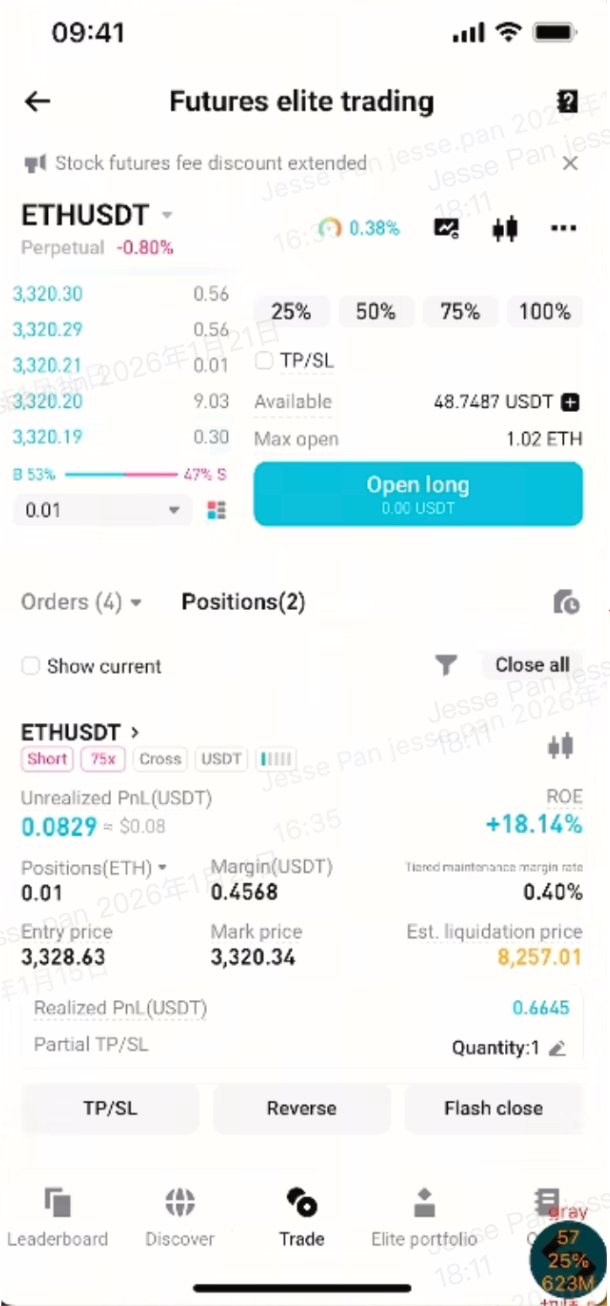
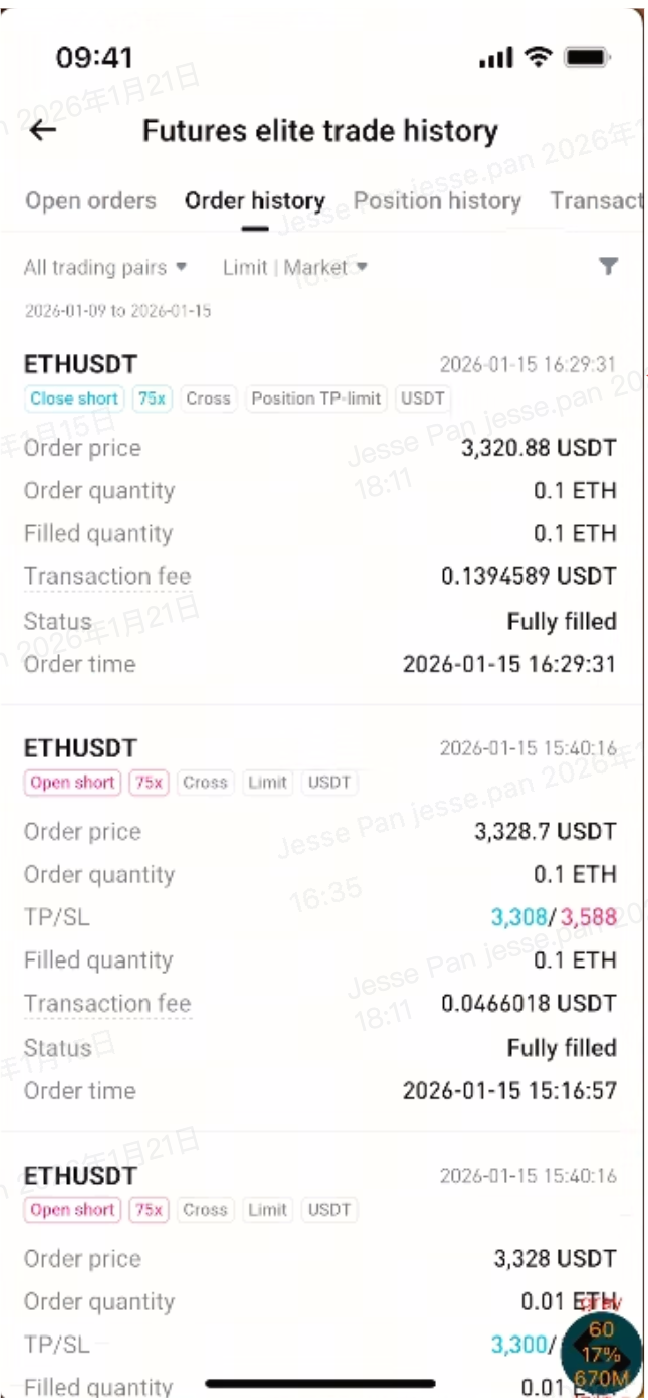
The elite trading zone offers the same trading features and interactions as your regular futures main account. Find Futures Elite Trading at the top of your main account's Futures tab and tap it to switch to the elite trading zone. Additionally, you can view full details on the Futures Elite Trade History page, including order history, position history, transaction records, profit share records, funding fees, and more, for your review and reconciliation.
 |
|
 |
 |
 |
2.2 New copy trading settings and user center
-
When you copy an elite trader under the new system, you will enter the corresponding copy trading settings page to select from fixed ratio and fixed margin modes. If the elite trader you copy is in the legacy system, you will still enter the legacy settings page with Diverse Follow and Smart Copy modes. The experience and rules remain unchanged.
-
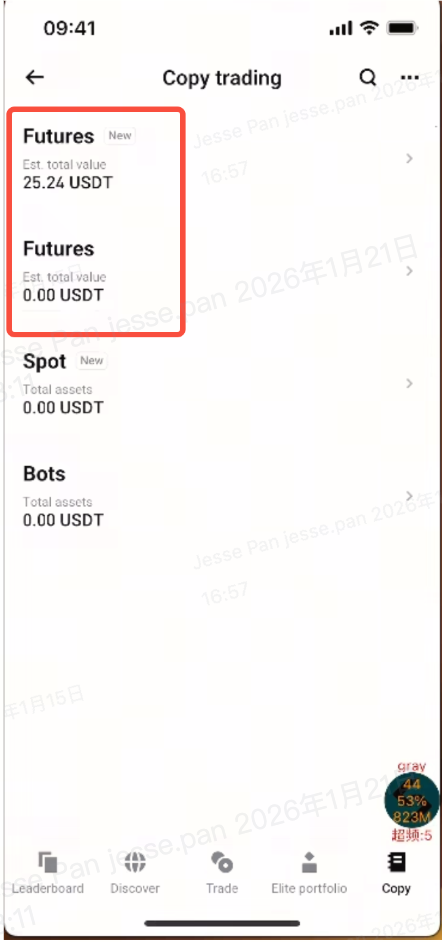
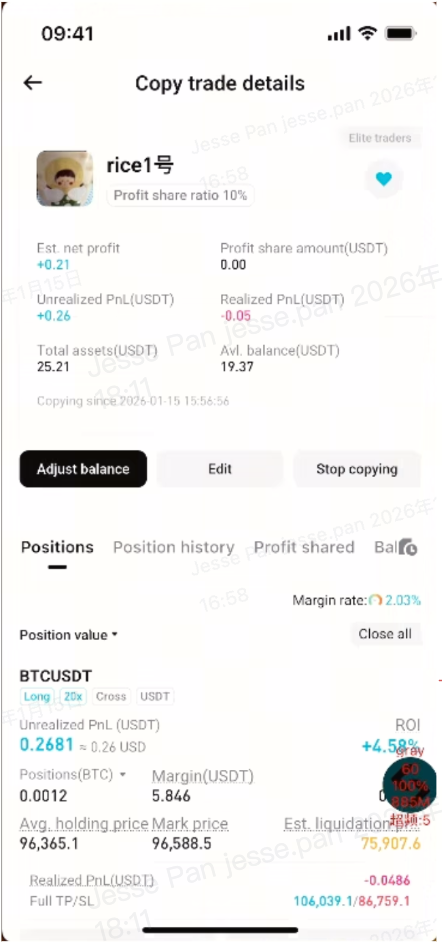
In Copy Trading Hub > My Copy Trades, you will see the portals for the new and legacy copy trading centers. The data for the two centers are independent and displayed separately. Only orders and data associated with elite traders in the new system will be displayed in the new futures copy trading center.
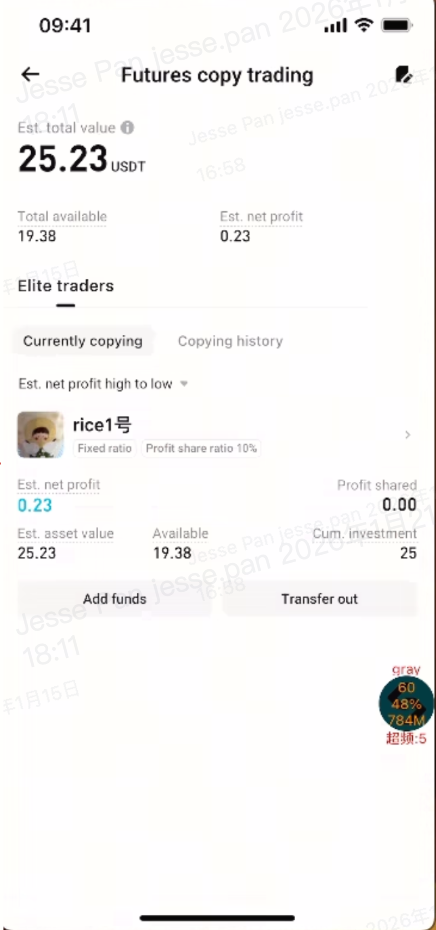
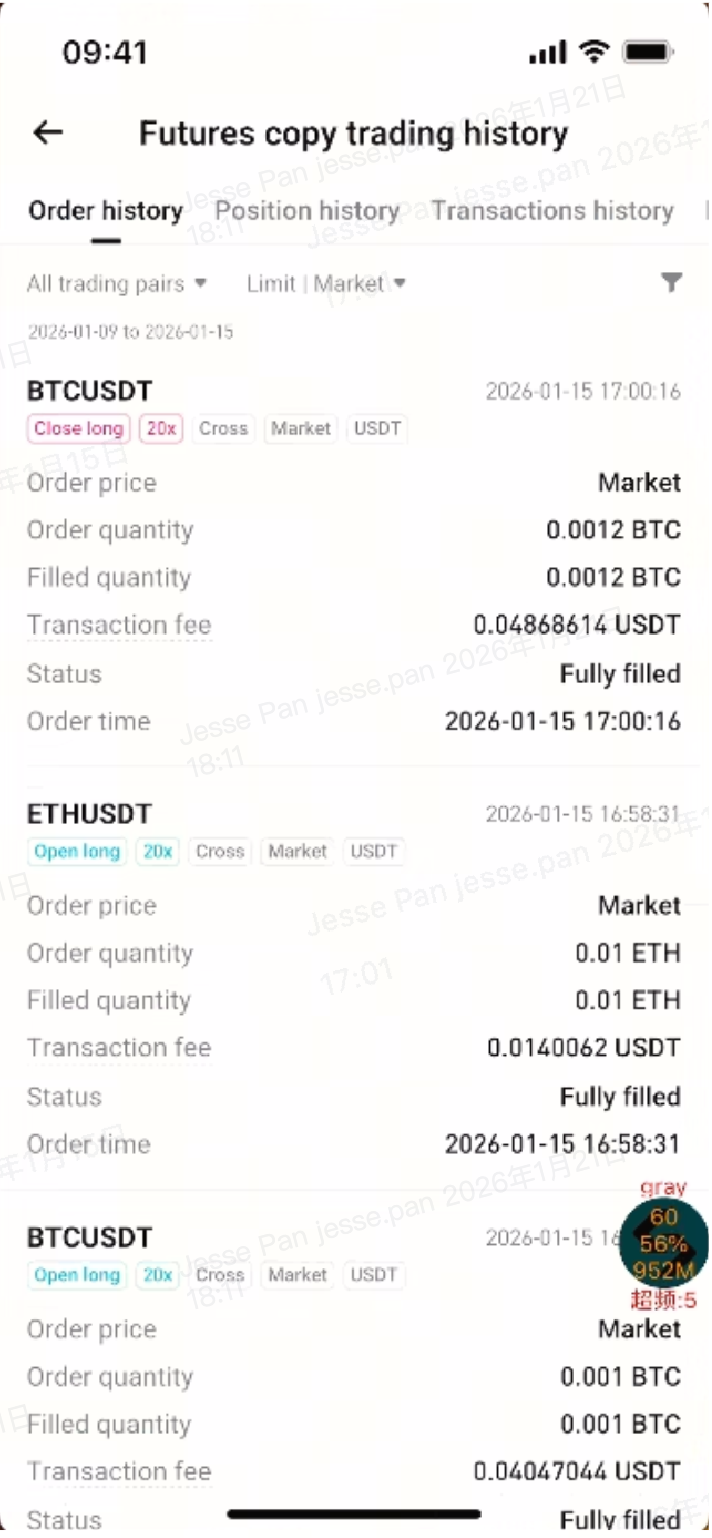
- The new copy trading details page offers more comprehensive data queries. You can view open positions, position history, profit share records, and balance history. It also provides complete order history and transaction records, including profit share and funding fee payments, facilitating review and reconciliation.
2.3 New account types added to asset overview
-
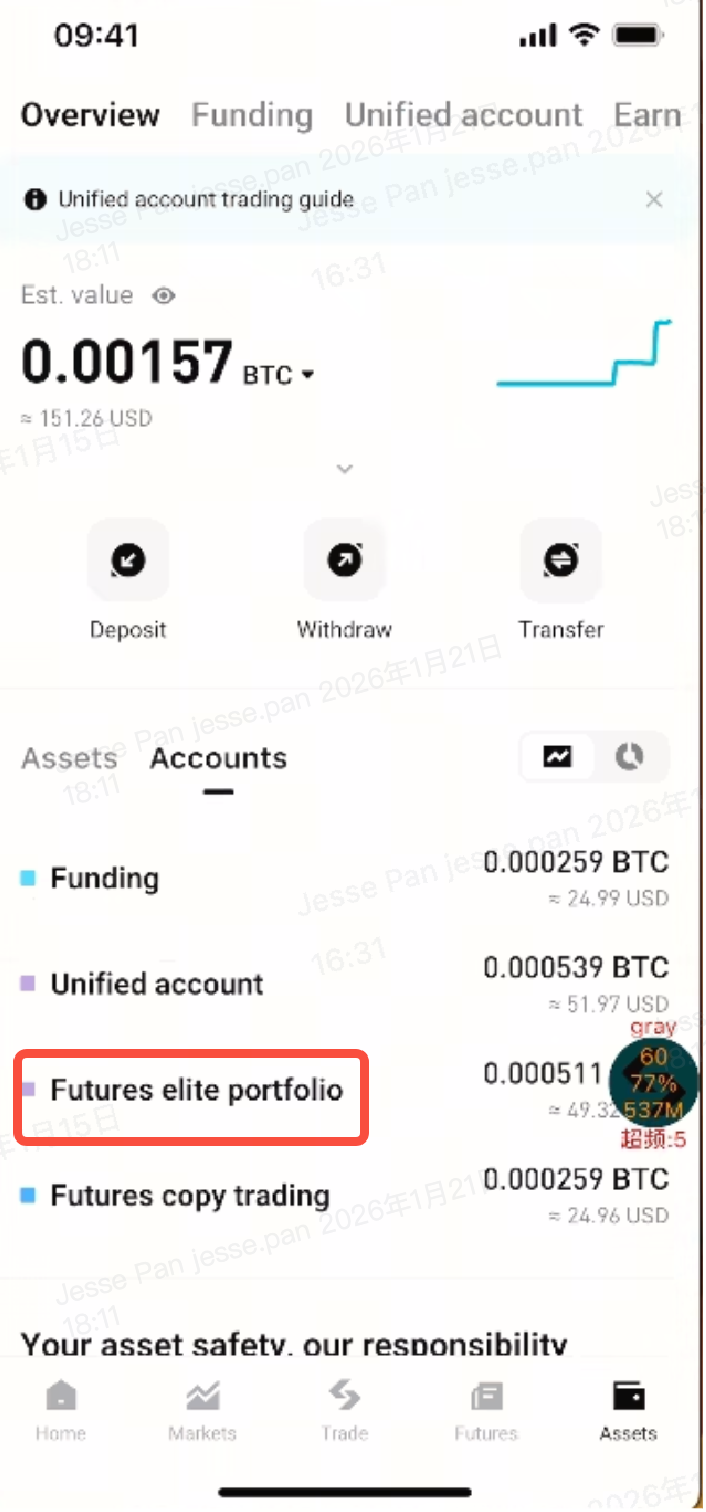
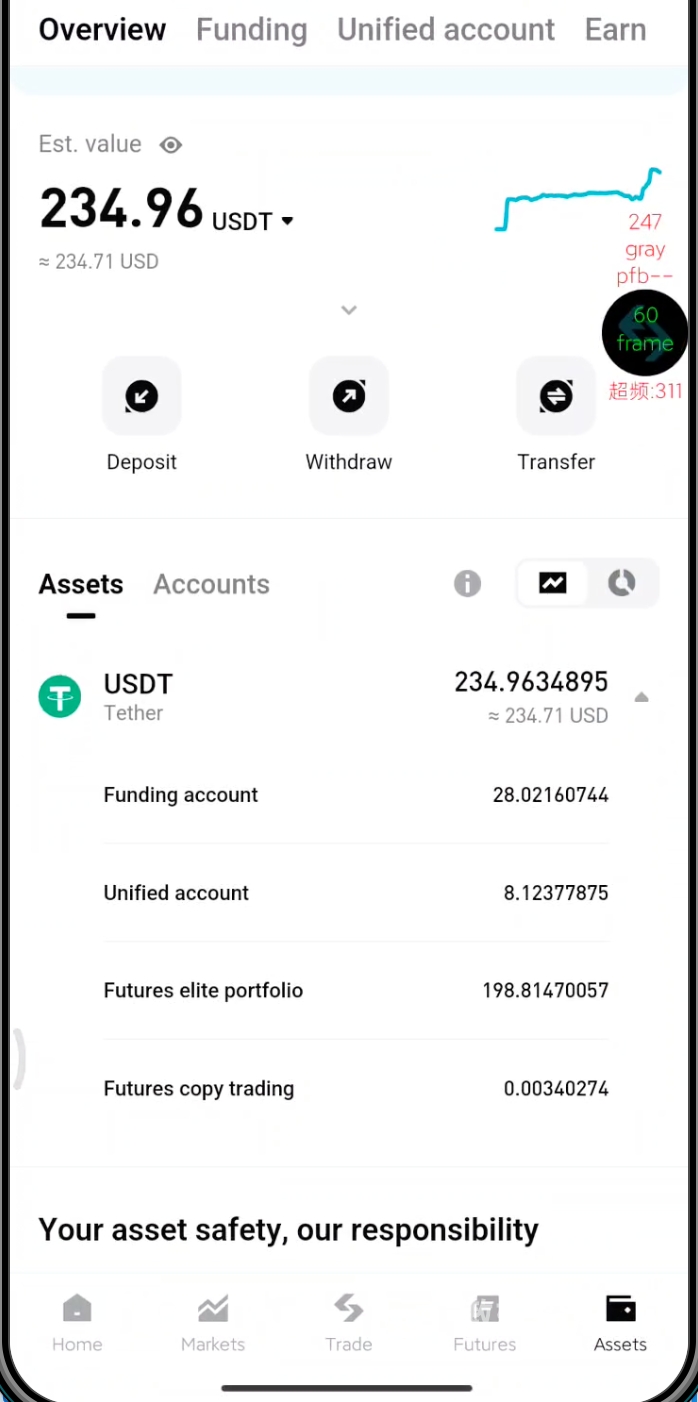
Futures elite portfolio: Displays the asset valuation of the elite trading sub-account. Selecting this will redirect you to the corresponding version of the futures elite trader center (new/legacy) for efficient portfolio management and data review.
-
Futures copy trading: Displays the total asset valuation of all futures copy trading sub-accounts. If you are copying elite traders in both the new and old systems, selecting this will prompt you to choose a corresponding copy trading center. You can instantly access either user center to view your positions, PnL, and profit share records.
 |
 |
3. Important notes
-
Direct upgrade not supported: Elite traders in the legacy system cannot migrate to the new system. For legacy elite traders to upgrade, follow the steps below:
-
Withdraw from the legacy elite trading program and apply for the new system; or
-
Create a new sub-account under your main account, and apply with the sub-account to be an elite trader to gain access to the new elite trading system.
-
-
Applications to the legacy elite trading system are closed:After updating to the latest app version, users can apply only for the new elite trader system. Once you've activated your status as an elite trader in the new system, you will not be able to apply for the legacy system even if you withdraw from the new system. Legacy elite trader applications are no longer available on the latest app version.
-
Copiers can simultaneously copy elite traders in the old and the new systems:
-
Both systems supported: Regardless of which system the elite trader is using, copiers can copy their trades at the same time. This upgrade does not affect the features and data of the old system.
-
Independent copy trading centers: The new copy trading center and the legacy copy trading center are independent from each other in terms of user interfaces and data reports. Your orders, PnLs, profit share rules, historical records, and other data are all separated, ensuring accurate statistics and reconciliation. Double-check which copy trading center you are in to avoid misinterpreting the data or settlement details.
-
4. Features availability (current version)
-
"Equity Guardian" unavailable.
-
Elite trader tiers unavailable:
-
For now, the profit share ratio is capped at 10%.
-
If you wish to increase it, contact our online customer service or your BD for assistance. It may be increased to up to 30% (subject to our review decision).
-
The elite trader tiers will be available by the end of Q2 at the earliest.
-
-
Isolated margin mode unavailable. For now, the new system only supports cross-margin mode. Isolated margin mode is expected to be available by the end of Q2 at the earliest.
-
Manual close option after stopping copying unavailable: After you stop copying an elite trader, you can only choose between "Close at market price" and "Close position when the elite trader closes". The manual close option is expected to be available by the end of Q2 at the earliest.
Thank you for your support. We are dedicated to continuous product iteration to deliver a more stable and intuitive futures elite/copy trading experience.
Join Bitget, the World's Leading Crypto Exchange and Web3 Company
Share