How to Upgrade to Unified Trading Account?
[Estimated reading time: 3 minutes]
Ipinapaliwanag ng artikulong ito kung paano i-upgrade ang iyong Bitget account sa isang unified trading account (UTA). Ang pag-upgrade sa isang UTA ay maaaring mapabuti ang kahusayan ng kapital, gawing simple ang pamamahala ng asset, at ma-unlock ang mga advanced na tampok ng margin. Ang gabay na ito ay nagbibigay ng sunud-sunod na mga tagubilin para sa parehong Bitget app at website ng Bitget, kasama ang mga kinakailangan sa pag-upgrade at mahahalagang tala tungkol sa mga pagbabago sa feature pagkatapos ng pag-upgrade.
What is a unified trading account?
A unified trading account simplifies your trading experience by consolidating multiple products, such as spot and futures, into a single account. It offers greater capital efficiency, streamlined asset management, and enhanced risk control.
How to upgrade to a unified trading account in the Bitget app
Step 1: Access the upgrade portal
Method 1: Via the Assets page
1. Open the Bitget app.
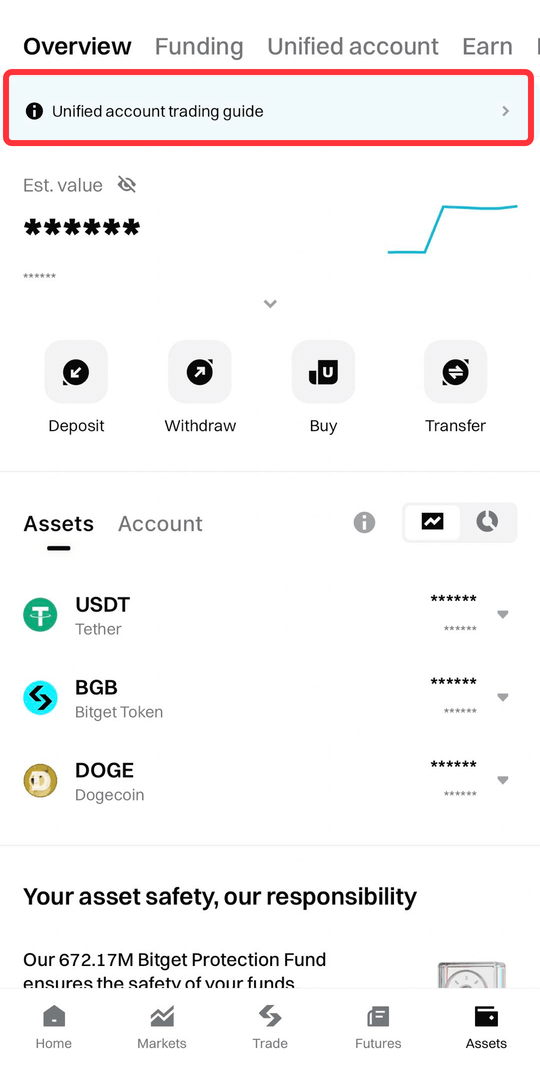
2. Tap Assets.
3. Find and tap Upgrade to Unified Trading Account.
Method 2: Via a trading page (spot / margin / futures)
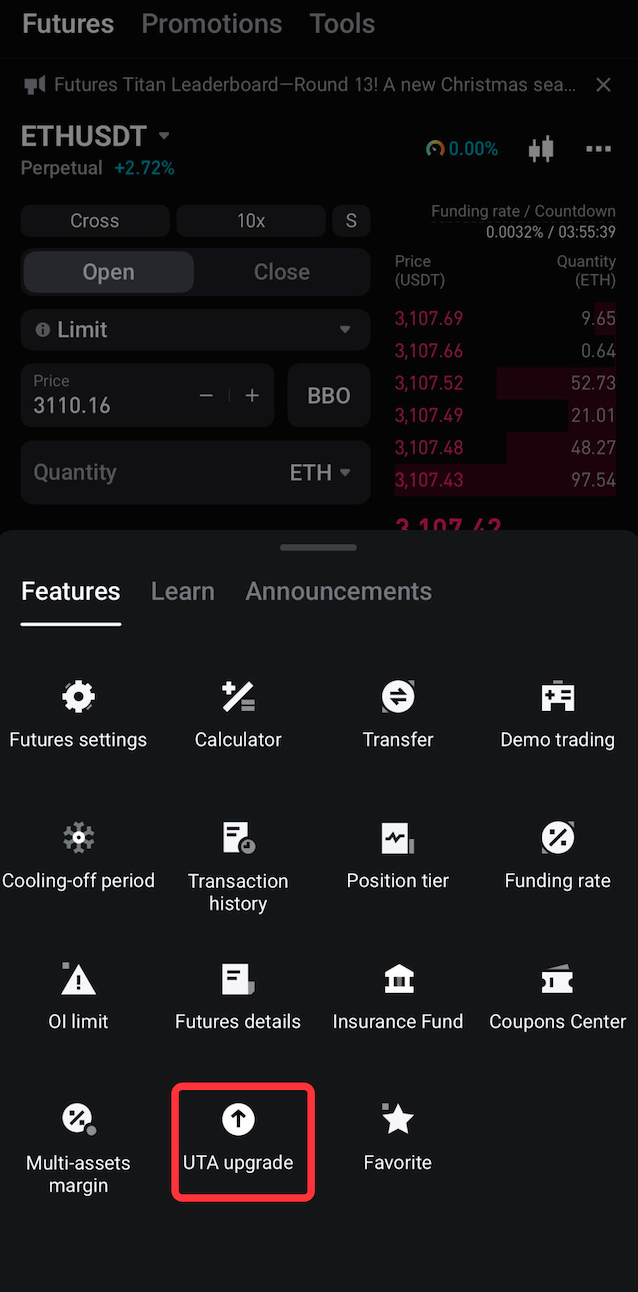
1. Go to any trading page (e.g., spot, margin, or futures).
2. Pindutin ang icon na may tatlong tuldok sa kanang sulok sa itaas.
3. Select UTA Upgrade from the menu.
Step 2: Verify eligibility and complete the upgrade
1. To upgrade to a UTA, your account must meet all of the following requirements:
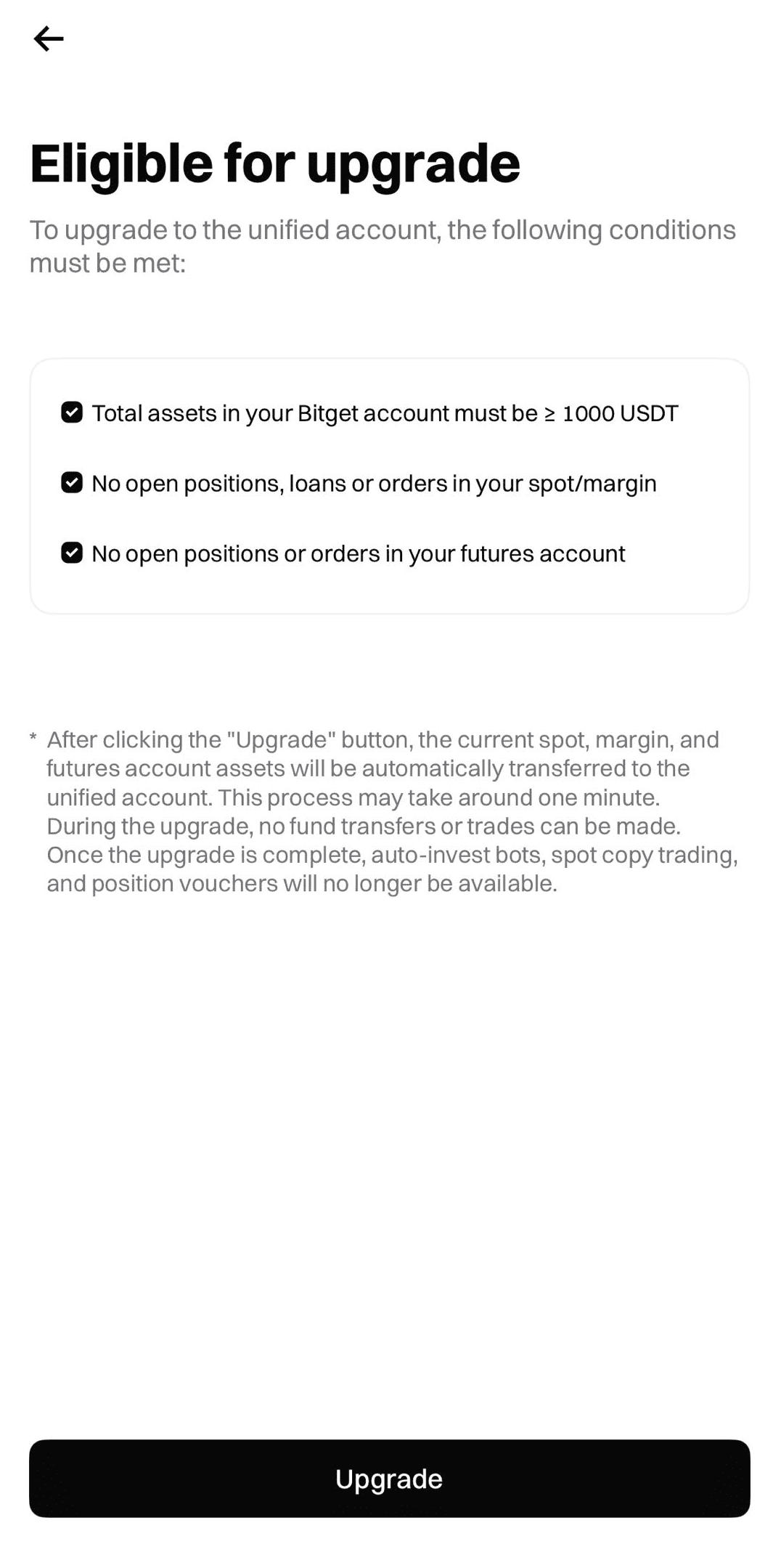
• No open positions, loans, or orders in your spot or margin accounts.
• No open positions or orders in your futures account.
2. Once all requirements are met, tap Upgrade to begin the migration.
Note: The system will automatically transfer your spot, margin, and futures assets to your unified trading account. The process takes approximately one minute. During this time, trading and fund transfers will be temporarily unavailable.
How to upgrade to a unified trading account on the Bitget website
Step 1: Access the upgrade portal
1. Log in to Bitget.
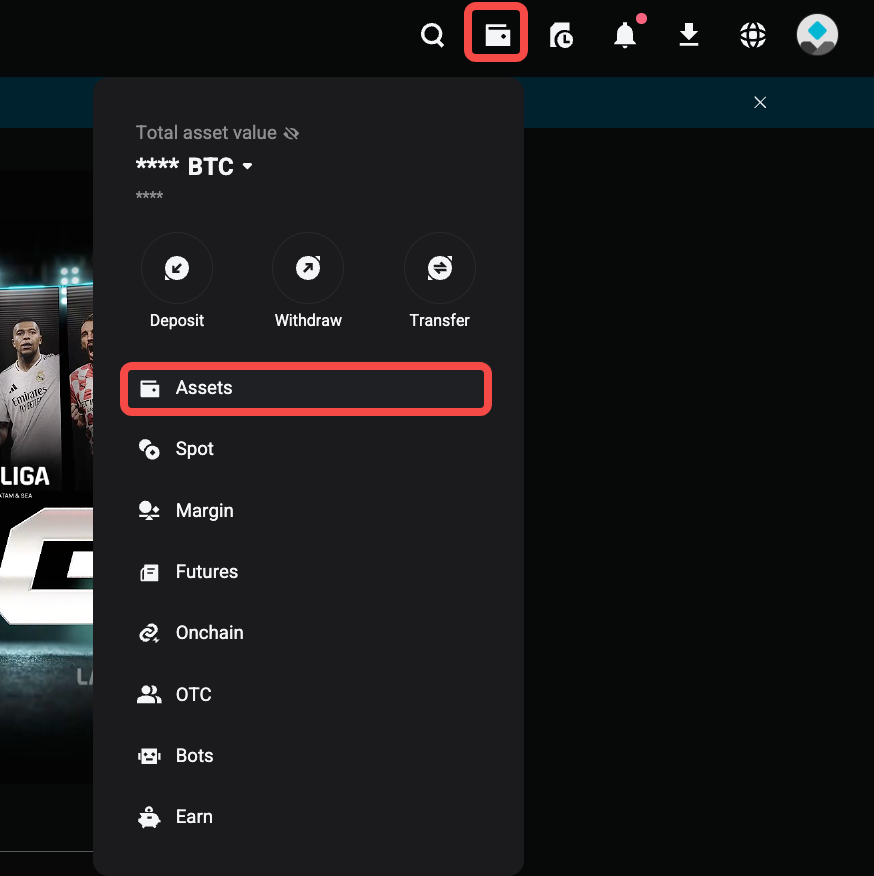
2. Go to the Assets page.
3. Piliin ang Mag-upgrade sa Unified Trading Account.
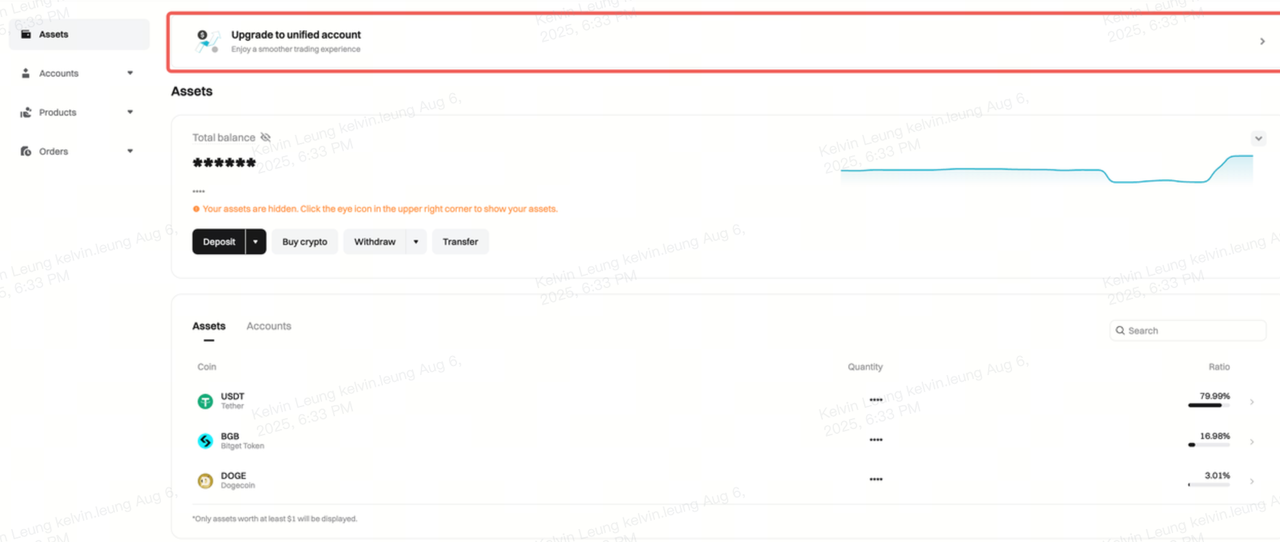
Step 2: Verify eligibility and complete the upgrade
1. The system will automatically check whether your account meets all upgrade requirements:

• No open positions, loans, or orders in your spot or margin accounts.
• No open positions or orders in your futures account.
2. Kapag natugunan na ang lahat ng kinakailangan, i-click ang I-upgrade para magpatuloy.
Note: The system will automatically transfer your spot, margin, and futures assets to your unified trading account. The process takes approximately one minute. During this time, trading and fund transfers will be temporarily unavailable.
FAQs
1. What are the requirements for upgrading to a unified trading account?
You must have no open orders, open positions, or outstanding loans in your spot, margin, and futures accounts.
2. How long does the upgrade process take?
The upgrade process takes approximately one minute. During this time, trading and fund transfers will be unavailable.
3. What happens to my funds after the upgrade?
Ang lahat ng balanse sa iyong spot, margin, at futures accounts ay awtomatikong pagsasama-samahin sa iyong unified trading account.
4. Does the upgrade affect other features?
Oo. Hindi na magagamit ang mga voucher ng posisyon pagkatapos ng pag-upgrade.
5. Can a sub-account be switched back to a classic account after upgrading to a unified trading account?
Ibahagi